
How to meter usage by billing period in TypeScript with Subscrio
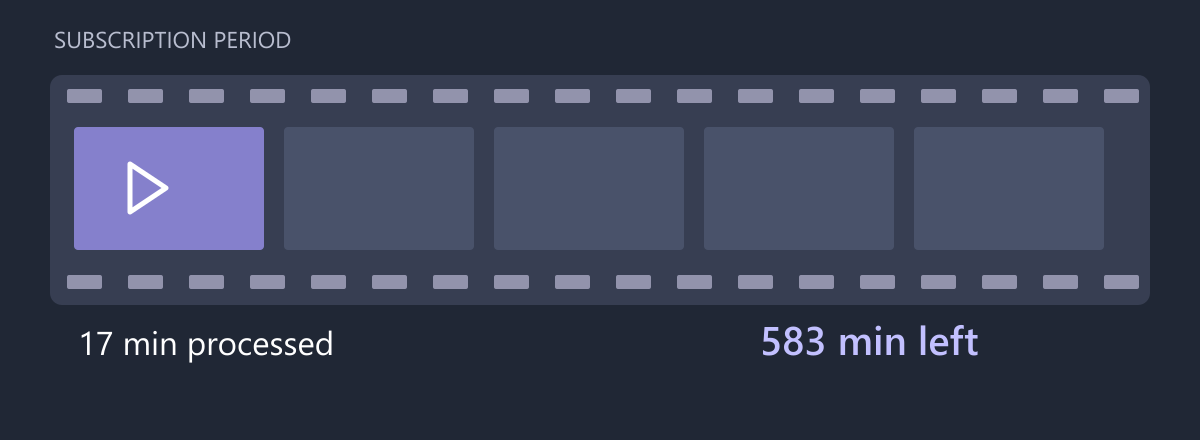
SubtitleDock processes subtitle tracks for independent film distributors. A customer buys 600 minutes of processing for each subscription billing period, which can start halfway through a calendar month. Counting against the first day of the month would reset the allowance on the wrong date.
In this guide we will meter processing minutes in TypeScript using explicit subscription period dates, then handle the boundary where those dates need to be refreshed.
Subscription-scoped usage tracking keeps this allowance on the named agreement. Its reset follows the current billing period rather than a calendar month. The meter enforces included usage; it does not calculate an invoice.
Define the customer promise
| Setting | SubtitleDock rule |
|---|---|
| Included processing | 600 minutes |
| Reset boundary | Subscription current-period dates |
| Job quantity | Duration rounded up to whole minutes |
| Scope | One named subscription |
Run the example
The complete SubtitleDock sample contains the setup and executable assertions used below. Use Node.js and a local PostgreSQL server. Copy the environment example and set DATABASE_URL to a development connection with permission to create databases. The runner creates and removes its own isolated database.
git clone https://github.com/subscrio/samples.git
cd samples/examples/billing-period-usage-metering-typescript
cp .env.example .env
# Set DATABASE_URL in .env before running.
npm ci
npm test
The snippets run in order within that program. check prints the returned value and asserts that it matches the expected result. The outputs below come from the executable sample.
Initialize Subscrio
The helper supplies the disposable PostgreSQL database connection. Install the schema before creating any catalog records.
const clock: { at: Date | null } = { at: null };
const app = new Subscrio({
  database: { connectionString: db.connectionString },
  clock: { now: () => clock.at ?? new Date() }
});
await app.installSchema();
The full runner supplies the imports, database helper, and cleanup. Its injectable clock lets the boundary checks advance time without waiting. It controls Subscrio’s entitlement/accounting evaluation; it does not change the database server clock.
Create the product
Keep SubtitleDock’s catalog under one product.
await app.products.createProduct({
  key: 'subtitledock',
  displayName: 'SubtitleDock'
});
Define the feature
The processing-minutes feature is a sum meter: each report adds the job’s whole-minute quantity. Subscription scope keeps the allowance on one named agreement, and billing-period resets use that agreement’s current period dates.
await app.features.createFeature({
  key: 'processing-minutes',
  displayName: 'processing-minutes',
  valueType: 'metered',
  defaultValue: '0',
  meteredConfig: {
    resetPeriod: 'billing_period',
    enforcement: 'hard',
    aggregation: 'sum',
    usageScope: 'subscription'
  }
});
Associate the feature
Associate this feature with SubtitleDock so its plan can supply the customer’s value.
await app.products.associateFeature('subtitledock', 'processing-minutes', {
  subscriptionRule: 'most_generous'
});
Create the plan
The standard plan includes processing minutes for one subscription billing period. Define the offer here, then assign its 600-minute allowance.
await app.plans.createPlan({
  key: 'standard',
  productKey: 'subtitledock',
  displayName: 'standard'
});
Assign the plan value
This plan includes 600 processing minutes. A customer without an eligible agreement has the zero default.
await app.plans.setFeatureValue('standard', 'processing-minutes', '600');
Create the billing cycle
Create the monthly catalog option before assigning it to a customer.
await app.billingCycles.createBillingCycle({
  key: 'standard-cycle',
  planKey: 'standard',
  displayName: 'Monthly',
  durationUnit: 'months',
  durationValue: 1
});
Create the customer
The sample uses the key customer for the SubtitleDock purchaser. Creating this record identifies the recipient; the subscription will assign their plan.
await app.customers.createCustomer({
  key: 'customer',
  displayName: 'SubtitleDock customer'
});
Assign the first billing period
The dates are a verified billing fixture for this example. In an integration, use the period supplied by your billing system. A billing-period meter needs both boundaries.
clock.at = new Date('2030-04-12T00:00:00Z');
await app.subscriptions.createSubscription({
  key: 'agreement',
  customerKey: 'customer',
  billingCycleKey: 'standard-cycle',
  activationDate: clock.at,
  currentPeriodStart: clock.at,
  currentPeriodEnd: new Date('2030-05-12T00:00:00Z')
});
Record metered usage in whole minutes
SubtitleDock rounds each job up to the next minute. Subscrio receives that quantity; it does not inspect media files or choose a rounding rule.
const mediaSeconds = 16 * 60 + 21;
const minutes = Math.ceil(mediaSeconds / 60);
const recorded = await app.metering.reportUsage(
  'customer',
  'subtitledock',
  'processing-minutes',
  minutes,
  { subscriptionKey: 'agreement', idempotencyKey: 'film-spring-subtitles' }
);
check('Charged minutes', recorded.quantity, 17);
check('Consumed minutes', recorded.usage.consumed, 17);
check('Minutes remaining', recorded.usage.remaining, 583);
Output:
Charged minutes: 17
Consumed minutes: 17
Minutes remaining: 583
Detect stale period dates
At the old period end, the saved dates no longer describe a usable current period. Treat this as missing billing synchronization, not as a fresh allowance.
clock.at = new Date('2030-05-12T00:00:00Z');
await assert.rejects(
  () =>
    app.metering.getUsage('customer', 'subtitledock', 'processing-minutes', {
      subscriptionKey: 'agreement'
    }),
  { name: 'MeteringPeriodError' }
);
check('Stale period rejected', true, true);
Output:
Stale period rejected: true
Reset usage with the renewed billing period
After the billing system confirms the next period, update the agreement. Reading usage now selects a new bucket.
await app.subscriptions.updateSubscription('agreement', {
  currentPeriodStart: clock.at,
  currentPeriodEnd: new Date('2030-06-12T00:00:00Z')
});
const renewed = await app.metering.getUsage(
  'customer',
  'subtitledock',
  'processing-minutes',
  { subscriptionKey: 'agreement' }
);
check('Renewed consumption', renewed.consumed, 0);
check('Renewed allowance', renewed.remaining, 600);
Output:
Renewed consumption: 0
Renewed allowance: 600
Retry an earlier job after renewal
A retry still belongs to its original recorded job. Its response is the old usage snapshot; read current usage separately when displaying the new period balance.
const replayed = await app.metering.reportUsage(
  'customer',
  'subtitledock',
  'processing-minutes',
  17,
  { subscriptionKey: 'agreement', idempotencyKey: 'film-spring-subtitles' }
);
check('Original job snapshot', replayed.usage.consumed, 17);
check(
  'Current period still unused',
  (
    await app.metering.getUsage(
      'customer',
      'subtitledock',
      'processing-minutes',
      {
        subscriptionKey: 'agreement'
      }
    )
  ).consumed,
  0
);
Output:
Original job snapshot: 17
Current period still unused: 0
Use the result in your application
The first job spends seventeen minutes from its subscription period. An expired period definition raises an error until the billing dates are updated. After renewal, the current bucket is empty even though a retry can still return the original job’s seventeen-minute snapshot. Use a fresh usage read for the current balance.
Run the complete SubtitleDock example to reproduce the checks. The Subscrio usage metering guide explains the related model.
For a related C# example, see calendar-month quotas in C#. A related next step is Stripe subscription renewal handling.