
How to manage feature access when plans change
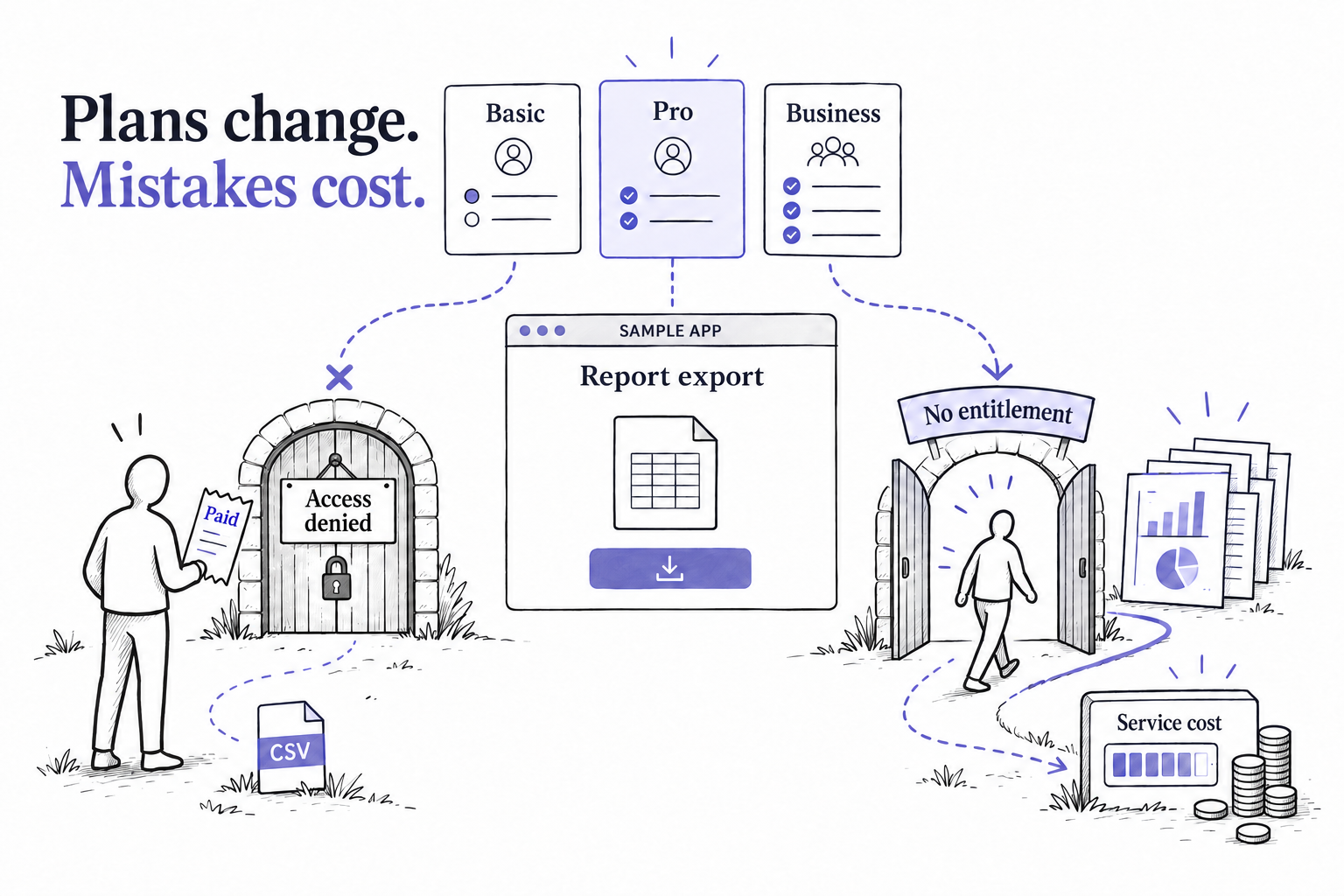
You finish building a feature, test it, and put it into production. A week later, someone decides it should be included in a different plan. A customer negotiates access to it outside that plan, and the business introduces another package that includes it too. The feature still works. What changed is who should be allowed to use it.
Plans, feature bundles, limits, and customer agreements can change without any change to the features themselves. If every access decision is written as a plan-name check, a change to what you sell becomes a code change. Someone has to find the checks, edit them, test them, and deploy.
The cost of getting one of those checks wrong runs both ways. An account may get paid functionality it never bought, or a paying customer may be blocked from work they need to finish.
This article shows how to keep feature access accurate as offers change: what belongs in application code, what can live in a shared access model, and what to test before changing a plan. We build Subscrio, so we’ll use it as one implementation example.
Why plan-based feature checks become hard to maintain
Engineering implements a feature; the business decides which customers get it. Those decisions can change on different schedules. A working export function might survive years of pricing experiments, new packages, and negotiated agreements.
When the offer is written into the function, every packaging decision pulls engineering back into that function. Repeat the same condition across endpoints and background jobs, and one commercial change becomes several opportunities to miss a case.
The consequences can spread too. An incorrect rule on a shared plan can affect every account assigned to it. An overly generous default can silently authorize expensive work. A restrictive check can reject precisely the customer who just upgraded.
When rules are duplicated, it becomes harder to see the complete answer for one customer. A shared model of plans, included features, limits, and exceptions gives the team something it can inspect, change, and test deliberately.
A new plan breaks an old access check
Imagine a reporting application where teams upload business data and generate reports. This is a hypothetical example. Its Basic plan includes dashboards, and its Pro plan includes scheduled reports and CSV exports.
When the developer first adds CSV export, checking whether the customer’s plan is Pro seems reasonable. There is one paid plan, and it includes the feature.
Later, the business introduces a Business plan. It includes CSV export, a larger reporting allowance, and more team members. A customer buys it and tries to download a report before a meeting.
The export endpoint still asks whether the plan is Pro. It denies the request.
Payment succeeded. The pricing page made the right promise. The application failed to deliver because its access check recognized a plan name instead of asking whether this customer can export.
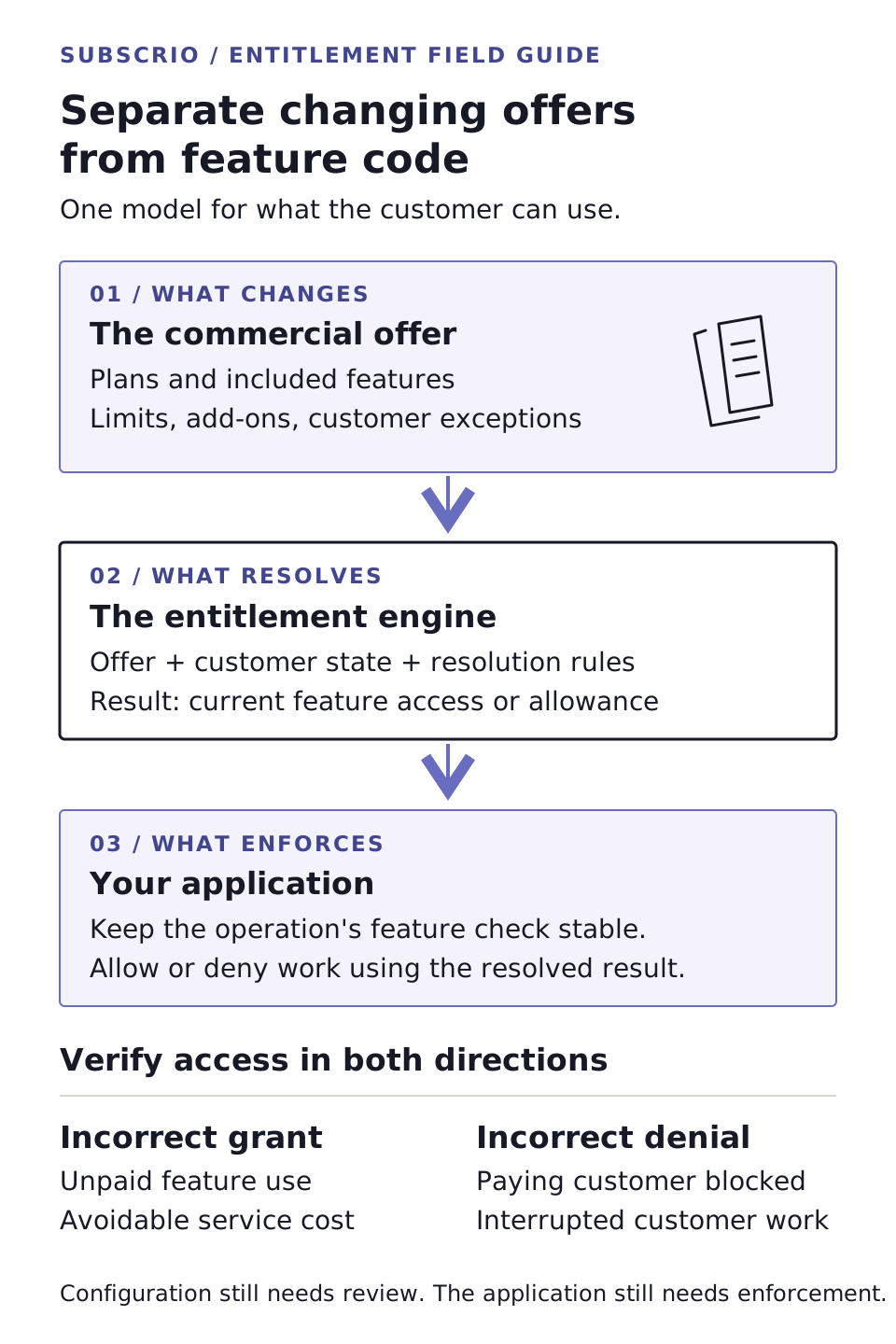
An entitlement is the technical name for a customer’s access to a feature or limit, such as CSV export, a monthly reporting allowance, or a team size limit. A plan groups those values into an offer. Keeping the feature separate from the plan lets the export endpoint ask a stable question: “Can this customer export CSV?”
The answer can change when the offer changes. The endpoint’s question can stay the same.
Keep the feature check stable while offers change
The reporting application still needs code to generate a CSV file, authenticate the request, and check that the user can read the data being exported. Those responsibilities belong to the application.
Which plans include CSV export belongs in the access configuration. So does a customer-specific agreement that grants export outside the standard plan.
With that separation, adding export access to Business means updating its configured feature value. Each operation that already checks CSV export uses the same policy. You don’t have to add Business to separate lists of allowed plan names in the export endpoint, scheduled job, and user interface.
There is a practical qualification here: changing the inclusion or allowance of an existing feature can avoid an application release. Building a new export format, adding a new operation, or inserting an access check where none exists still requires code. For downloaded software, the application also needs a way to receive updated entitlement data; embedding a fixed catalog in an installer still ties changes to distribution.
A feature-access library gives those changing rules a place to live. Your integration determines how the rules reach the running application.
Wrong access decisions cost money in both directions
The denied export is visible because a customer complains. Excess access can be harder to notice.
Suppose the reporting application uses a paid service to generate advanced reports. A developer adds a new plan but forgets to assign its reporting allowance. The application treats a missing allowance as unlimited, so accounts on that plan can start as many reports as they want.
For illustration, if each extra report costs $0.04 to generate, 100,000 unintended reports cost $4,000. Those are invented numbers to show the arithmetic, not Subscrio customer results. The exposure depends on the actual service cost, account activity, and how long the error persists.
Even when a feature is inexpensive to serve, granting it accidentally can weaken the reason to buy the package that includes it. Revoking that accidental access later can also create a difficult customer conversation.
Incorrect denial has its own cost. A customer who bought Business may need the export to finish a task today. Support has to investigate, engineering may have to patch the check, and the customer may request a refund or decide the product is unreliable. None of those outcomes requires a failed payment.
The access decision needs to be correct in both directions. A test that proves paid customers can export is incomplete if it never checks that customers who did not buy export remain restricted.
How Subscrio handles changing feature access
Subscrio provides .NET and TypeScript libraries for resolving application feature access. It stores products, features, plans, and add-ons in a catalog. Its feature checker determines a customer’s current access from plan values, add-ons, subscription overrides, and defaults. This model is often called an entitlement engine.
In the reporting example, the application checks whether the customer can export CSV rather than identifying every plan that includes exports. For a reporting allowance, it resolves the limit and uses the metering workflow to enforce consumption. Your application still has to call those checks at the operations that need protection.
When an account has several sources of access, you also need an explicit policy for combining them. Should two purchased capacity packs add together? Should one subscription’s higher allowance win? Subscrio’s feature resolution documentation explains how those choices work. A customer-specific override has a defined place in that calculation instead of becoming another special case inside an endpoint.
For an unexpected answer, the feature checker’s explanation helpers show the contributing sources and resolution rules. That gives support and developers a starting point for understanding why an account received a value. It doesn’t tell you whether the business chose the right policy.
The same separation applies to SaaS, downloaded software, subscriptions, and one-time purchases. A desktop application’s purchased edition may include PDF export; a hosted application may sell extra reporting capacity. Both need to translate what the customer obtained into what the application allows.
Feature access also sits beside ordinary user authorization. A company’s plan may include CSV export while a particular employee lacks permission to read the report. The operation needs both checks. Knowing what an account purchased does not prove that the person making the request may use its data.
Check what a plan change will do to customers
Moving policy out of application code makes it easier to change. It also means a bad configuration change can affect customers without a code deployment. The library reduces duplicated access logic; it cannot make an incorrect plan definition correct.
Before changing a plan, write down the intended result for the accounts it affects. A useful review of the reporting example would include:
| Account or situation | Expected result |
|---|---|
| Basic account without an export purchase | CSV export remains denied |
| Pro account | CSV export remains allowed |
| New Business account | CSV export is allowed with the intended reporting allowance |
| Account with an explicit export override | Access follows the agreed exception |
| Account with missing access configuration | The application uses a deliberate fallback rather than silently granting unlimited use |
Also decide whether a plan change applies to existing customers. If earlier buyers should keep their original allowance, preserve it through a distinct plan or an explicit customer-specific access arrangement. Editing one shared plan value is not a substitute for a migration policy.
Keep configuration changes reviewable, restrict who can apply them, verify affected accounts, and have a recovery procedure. Check what your chosen update mechanism actually does. For example, Subscrio’s configuration sync is an explicit import. It has no dry-run mode and is not one transaction for the whole configuration; some writes can succeed before a later error. Review the returned report and the resulting state.
Billing synchronization, cache freshness, and enforcement still need attention too. A correct catalog cannot help an endpoint that skips the check or an application that keeps using a stale answer.
When a feature-access library is worth adding
If your application has one fixed offer, a small set of centralized checks may be enough. The pressure to use a library grows when the catalog changes frequently, customers buy additional capacity, exceptions become routine, or access logic is repeated across operations.
One useful check is to take a recent packaging change and ask how many places in the code needed editing. Then ask how you would prove that every affected customer received the intended access, including customers who should remain restricted.
If those answers require chasing plan names through controllers, jobs, and support scripts, the access policy needs a clearer home.
With a feature-access library, the export implementation can stay focused on exporting. The business can change which offers include it through a reviewed catalog change. A Business customer gets the export they bought, a Basic customer remains within their offer, and engineering maintains the enforcement points and access rules in one deliberate model.
Start with one feature check
Start with one feature your product sells. Give it a stable key, define its value for each offer, and check the customer’s access where they actually use the feature. Verify a customer who should receive it and a customer who should remain restricted. Then introduce another plan that includes the same feature and confirm the operation’s code can stay unchanged.
Our TypeScript feature-entitlement walkthrough shows an export operation with that boundary. For a different business model, the one-time application purchase walkthrough for ASP.NET Core shows purchased access without recurring billing. The feature checker reference covers resolving and explaining access in both libraries.